Watching the 2026 Worldwide Developers Conference last week, it became abundantly clear that Apple has finally awakened to the reality of the artificial intelligence arms race.
Throughout the generative AI boom, Apple has been quietly iterating on the sidelines while Microsoft and Google dominated the headlines.
This year, Apple didn’t just enter the conversation; it fundamentally rearchitected its ecosystem to seamlessly integrate AI into the fabric of the user experience.
By doing so, the company has positioned its platforms to be highly competitive against both Google’s native Android AI efforts and Microsoft’s increasingly pervasive Copilot integration.
From the unveiling of macOS 27 Golden Gate to the long-awaited resurrection of Siri, Apple’s strategy is a masterclass in leveraging partnerships and focusing on the end-user experience. Let’s break down exactly what happened at WWDC26 and why it matters for consumers, developers, and the broader competitive matrix. We’ll close with my Product of the Week: the HyperX FlipCast Microphone.
Foundation Built on Gemini
Let’s address the elephant in the room: Siri has been overpromised and underdelivered since its creation. When Apple first introduced its voice assistant over a decade ago, it felt like crippled magic. But as competitors evolved into robust, context-aware digital concierges, Siri stagnated, becoming the punchline in the AI assistant wars.
Years ago, when Apple partnered with IBM, I had high hopes that Watson’s enterprise-grade computing muscle would be integrated to give Siri the backbone it desperately needed. Unfortunately, that never came to pass.
Fortunately, Apple has finally done what I’d hoped they’d do with IBM by leveraging Google’s Gemini platform to provide a “better late than never” foundation. Apple introduced a new “you-centered” architecture built on Apple Foundation Models and securely tied to the Gemini platform.
By utilizing both local processing and server-based horsepower, Apple can deliver rapid, personalized responses while maintaining its non-negotiable stance on privacy. Your activity remains with you and only you.
This is a brilliant competitive strike against Microsoft. While Microsoft is forcing AI into every corner of the enterprise in ways that sometimes frustrate users, Apple is embedding AI directly into consumers’ lifestyles. It can pull real-time information from the web and process it through a private cloud to tailor assistance in the moment, making the Apple experience far more intuitive than competing platforms.
Revving Up macOS Golden Gate and the Ecosystem
Before diving fully into the AI tools, Apple introduced macOS 27 Golden Gate, focusing heavily on making the desktop experience more polished. Interestingly, the presenters opened by talking about “Liquid Glass,” a visual tuning element that lets users adjust UI clarity via a new slider. It seems odd that this is what they chose to open the keynote with, given the huge AI story waiting in the wings, but Apple has always been obsessed with visual fit and finish.
Golden Gate brings improved, expansive toolbars for better consistency and real estate management, alongside redesigned icons boasting greater depth and smoother animations.
Under the hood, the performance metrics are staggering. According to Apple, apps now launch up to 30% faster thanks to improved rendering and responsiveness, enabled by superior pre-fetching. In the Photos app, images appear 70% faster and transfer 80% faster. More impressively, Apple is looking out for its legacy users. iOS 27 features a system scheduler that actively improves performance-intensive workloads on older hardware, supporting devices all the way back to the iPhone 11.
Apple’s ecosystem connectivity also received quality-of-life upgrades. Network transitions between Wi-Fi and cellular are now far smarter, dynamically determining the best time to stay connected or switch. Across all platforms, system-wide search has been significantly revamped with a superior indexing system, meaning your Mac actually understands what you have and where to find it. Apple even threw a bone to interoperability, allowing friends on Windows or Android to share pictures directly into your Apple Photos groupings.
For spatial computing, Apple Vision Pro users can now turn standard images into sweeping panoramic screens and backgrounds. Meanwhile, Apple Maps has become incredibly realistic, rendering individual buildings, trees, shadows, and reflections to create an immersive navigational experience.
Siri Gets the AI Transplant It Always Needed
The highlight of the event was undoubtedly Siri AI. Apple has completely rebuilt Siri with artificial intelligence at its core, transforming it into a capable, conversational assistant offering helpful visual intelligence. It no longer feels like talking to a rigid command-line prompt; it is fluid, intuitive, and boasts far more human-like voice expressivity.
System-wide dictation received a substantial update to handle punctuation and capitalization, and extend its capabilities seamlessly to CarPlay and AirPods. Siri AI is also tightly integrated with Spotlight, helping you locate anything buried on your device. Furthermore, the new standalone Siri App allows users to carry conversational context and activities seamlessly between their iPhone, iPad, Apple Watch, and Mac.
The practical examples of this integration illustrate how AI will fundamentally improve the Apple experience. The Camera app now features a Siri mode, allowing it to identify and provide information about objects viewed through the camera — a feature that carries over into visionOS, letting users ask questions about what they are viewing in their physical environment. Need to split a dinner bill? Apple Cash with Siri AI can accurately split a tab based specifically on what each person ordered.
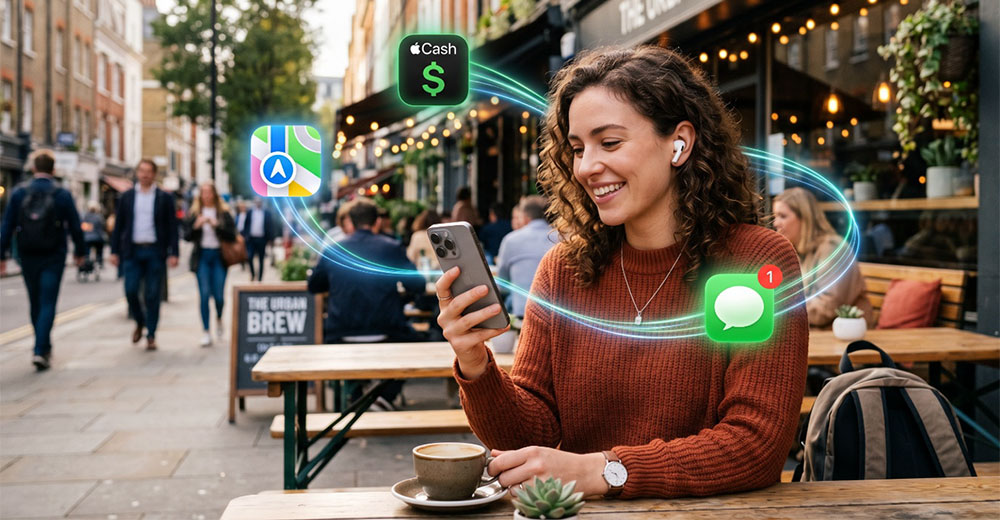
Apple is embedding AI throughout its ecosystem to connect apps, services, and devices. (AI-generated image)
Writing with Siri is another major leap forward. It allows you to quickly draft documents, emails, and notes in your own distinct voice, with automatic proofreading and helpful tips to polish your writing. While it is initially available only in English, other languages are in the pipeline.
Upgrading Safari, Messages, and the Visual Experience
Safari and Messages are also getting AI-driven upgrades. Safari now organizes browser tabs automatically based on content. It includes a brilliant “notify me” feature — simply tell Safari what you are looking for, and it monitors the website, pinging you when the site updates.
Using “Describe an Extension,” Safari can create custom extensions simply by describing what you want. Safari can then tailor website experiences to your preferences while keeping passwords updated and secure across accounts.
Messages will now monitor the context of your discussions to give you actionable recommendations. For instance, events are automatically adjusted based on your stated needs, without requiring you to dig through calendar menus. Notifications across the OS are finally grouped intelligently, meaning you’ll receive one cohesive summary rather than a dozen annoying alerts pointing to the same event.

Apple Intelligence makes creating Shortcuts as simple as speaking. You can tell your phone what you need — such as automatically texting your spouse that you are on your way home the moment your GPS registers you leaving the office — and the AI writes the shortcut for you. On the visual front, videos and pictures are automatically scanned to identify content for easy indexing, and clips are now natively viewable in 4K. A new version of Image Playground lets users generate images in any style, including stunning photorealism, directly on the device.
Inside the Photos app, AI enables incredible edits: a vastly upgraded cleanup tool, an extend tool to naturally widen frames, and Spatial Reframing, which fixes the layout and perspective of a picture after it was taken using on-device spatial models. Crucially, your photos are never shared with anyone, not even Apple.
The Parental Control Paradox
Apple leaned heavily into Trust and Safety at this event, emphasizing that end-to-end encryption, strong Safari privacy permissions, and crash protection are the bedrock of their platforms. The company showcased a deep commitment to building a safe environment for kids, unveiling safety features designed in collaboration with child behavior experts, with a focus on physical activity and sleep.
Screen time has evolved from simple reporting into a robust behavioral tool. Parents can now set time allowances based on a child’s specific age and the American Academy of Pediatrics’ screen time guidelines.
App availability can be scheduled to block inappropriate apps during school hours, and Screen Time provides granular time-of-use data broken down by individual applications. Apple’s child accounts will rigorously block adult sites, only allow safe media, and empower parents to tailor usage within specific Apple apps.

More parental controls can improve oversight, but too many alerts may overwhelm the parents expected to manage them. (AI-generated image)
However, Apple’s requirement that parents explicitly approve what their kids buy and browse creates a classic technology paradox. Here is the reality: parents haven’t been using the parental controls they currently have. By making the system require constant granular approvals, parents will be driven absolutely nuts by the sheer volume of pinging requests they receive every time a child clicks a link.
It is similar to how corporate IT departments get driven crazy by users suggesting that further automation may be needed. IT builds a rigid approval workflow to maintain security; users bombard the system with requests, and IT managers eventually become so overwhelmed by the sheer volume of alerts that they either rubber-stamp everything or turn the system off completely.
By demanding heavy intervention, Apple risks parents abandoning these powerful safety tools altogether.
Wrapping Up
WWDC26 was a watershed moment. Apple successfully used a robust third-party AI backbone, Google Gemini, to address Siri — its most glaring weakness — while delivering a localized, privacy-first user experience that Microsoft and others will struggle to replicate on consumer hardware.
The flexibility extended to developers is equally impressive; apps like Daydream can seamlessly identify real-world products using the developer’s choice of AI model, be it ChatGPT, Claude, or Gemini.
However, users should be aware that these highly processing-intensive tools will come with usage limits, and rollouts of Siri AI in the EU and China are significantly delayed as Apple navigates complex regulatory approvals in those regions.
Despite those hurdles, Apple’s strategy of integrating powerful AI transparently into the background of macOS Golden Gate and iOS 27 proves it hasn’t lost its touch for human-centric design. Apple may have arrived late to the generative AI party, but by pairing its unmatched hardware ecosystem with Gemini’s brainpower, Apple has ensured it is the one hosting the afterparty.

HyperX FlipCast – USB/XLR Dynamic Microphone
For the longest time, my go-to audio gear for podcasting and video calls was the HyperX QuadCast. It was a genuinely fantastic microphone, but let’s be honest — it looked a bit wild. With its bright, glowing red center and web-like bungee-cord shock mount, it screamed “Twitch streamer” rather than “technology analyst.”
Last week, I replaced my trusty QuadCast with the HyperX FlipCast – USB/XLR Dynamic Microphone, and it feels like a significant upgrade.
Visually, the FlipCast is a breath of fresh air. It ditches the aggressive gamer aesthetic for a sleek, subdued, front-address broadcast profile that looks highly professional on camera. It’s a mic you can confidently use on a corporate Zoom call or an analyst briefing without looking like you’re about to launch a gaming marathon.
The FlipCast’s biggest strengths are its versatility and audio capture. The QuadCast was a condenser microphone, meaning it was incredibly sensitive — picking up every pin drop, air conditioning hum, or dog barking in the background. The FlipCast, by contrast, uses a dynamic capsule with a tight cardioid polar pattern. It does a much better job of rejecting background noise and focusing on vocals, making it perfect for those of us without acoustically treated sound booths.
Built to Grow With You
One of its strongest selling points is the dual connectivity. It offers simple, plug-and-play USB-C right out of the box, but it also features a standard XLR output. If you ever want to step up to a dedicated audio mixer or a multi-PC streaming deck down the road, the FlipCast is ready to scale with you.
HyperX also loaded it with helpful onboard controls, including a multi-function dial for adjusting microphone gain and monitor mix, an easy-to-read raised LED level meter, and physical filter switches for a high-pass filter and vocal presence boost right on the chassis. Thankfully, they kept my favorite QuadCast feature: the simple, intuitive tap-to-mute button on top, which works in USB mode.
How does it stack up against the competition?
The hybrid USB/XLR dynamic microphone space has become highly competitive, currently dominated by heavyweights like the Shure MV7 and the Røde PodMic USB. While Shure is an industry standard for podcasters, it carries a premium price tag.
The FlipCast holds its own brilliantly against these leaders by offering broadcast-quality audio, an integrated internal shock mount, and a foam windscreen right in the box. Plus, when paired with the HyperX Ngenuity 3 software, you gain customizable EQ limiters to prevent audio clipping and an auto-level mode that takes the guesswork out of your adjustments.
If you are looking to upgrade your home office setup with audio gear that sounds incredible, scales with your needs, and looks like it belongs in a professional broadcast booth, the HyperX FlipCast USB/XLR Dynamic Microphone is a fantastic choice — and my Product of the Week.